
Quick way to start a web map application with MapLibre GL JS using Create React App.
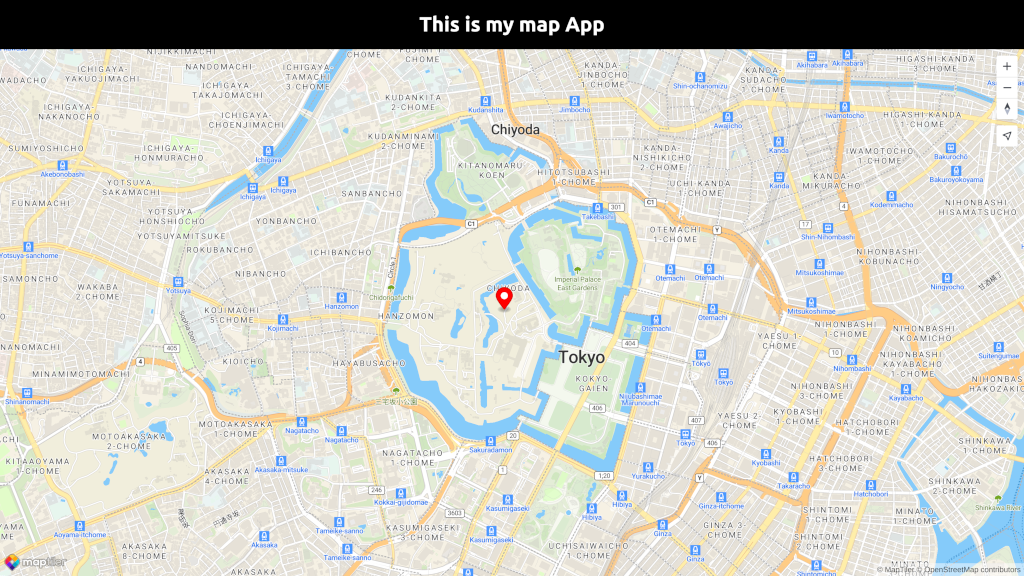
A simple fullscreen map application as an example on how to use MapTiler maps together with React and MapLibre GL JS for your own React app.



📖 Documentation 🌐 Website 🔑 Get API Key
Table of Contents
Clone this repo
git clone https://github.com/maptiler/get-started-react-maplibre-gl-js.git my-react-map-
Navigate to the newly created project folder my-react-map
cd my-react-map -
Install dependencies
npm install
-
⚠️ Open the App.js file and replace YOUR_MAPTILER_API_KEY_HERE with your actual MapTiler API key.ℹ️ If you don't have an API KEY you can create it for FREE at https://www.maptiler.com/cloud/
-
Start your local environment
npm start
-
You will find your app on address http://localhost:3000/. Now you should see the map in your browser.
- How to display MapLibre GL JS map using React JS
- Get Started with React JS and MapLibre GL JS
- MapLibre GL JS geocoding control how to search places using React JS
Check out the full list of MapTiler examples
- 📚 Documentation - Comprehensive guides and API reference
- ✉️ Contact us - Get in touch or submit a request
- 🐦 Twitter/X - Follow us for updates
We love contributions from the community! Whether it's bug reports, feature requests, or pull requests, all contributions are welcome:
- Fork the repository and create your branch from
main - If you've added code, add tests that cover your changes
- Ensure your code follows our style guidelines
- Give your pull request a clear, descriptive summary
- Open a Pull Request with a comprehensive description
This project is licensed under the MIT License – see the LICENSE file for details.
This project is built on the shoulders of giants:
- MapTiler – Maps for developers
- MapLibre GL JS – Open-source TypeScript library for publishing maps on your website
- React.js – The library for web and native user interfaces
- react-map-gl – React components for Mapbox GL JS and Maplibre GL JS
💜 Made with love by the MapTiler team