Group Search
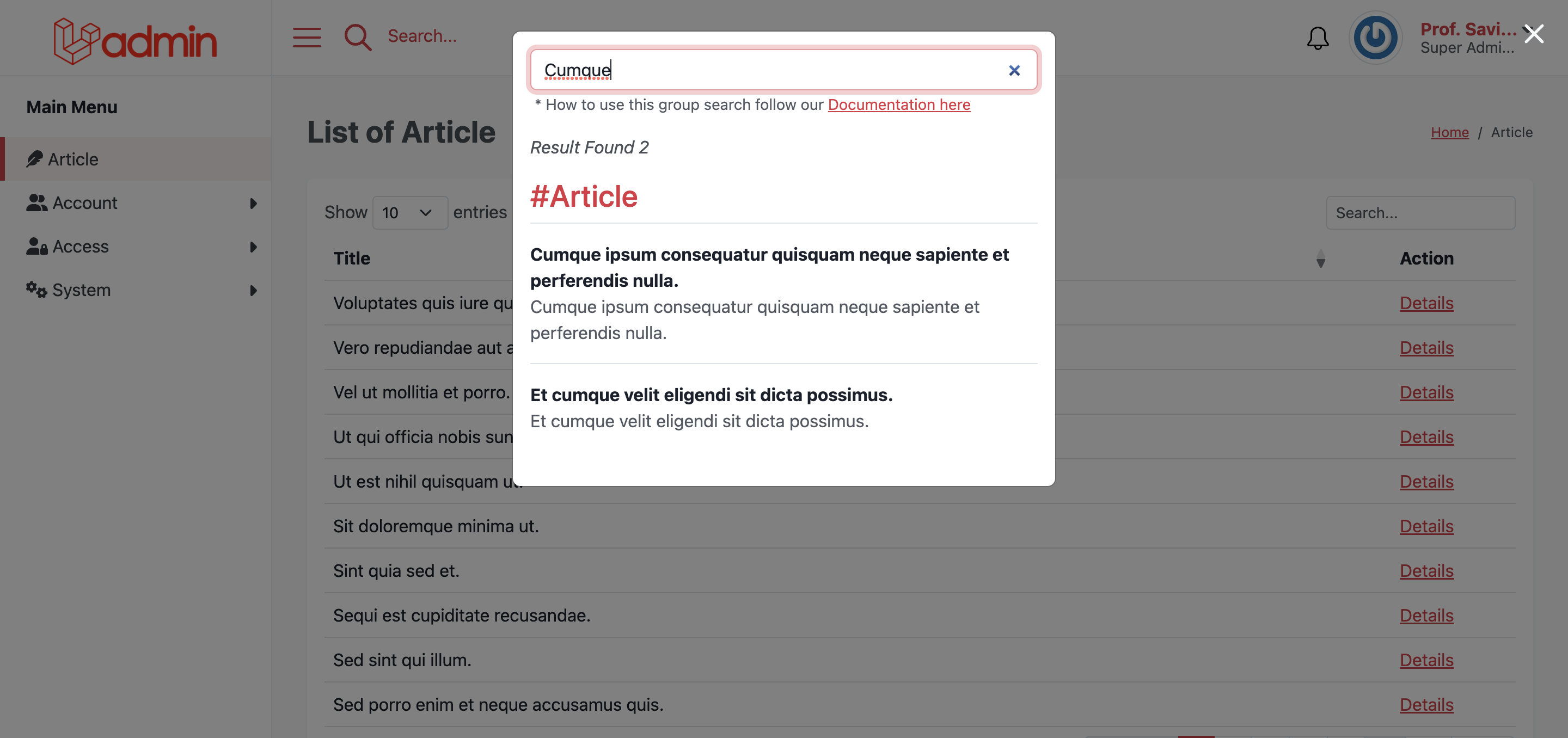
Let's start by creating a new class named ArticleSearch
php artisan module:make-search ArticleSearch --module=BlogThen the class will be saved as Modules/Blog/Searches/ArticleSearch.php, then extends the class into model class Modules\Blog\Models\Article, see example below.
namespace Modules\Blog\Models;

. .

use Illuminate\Database\Eloquent\Model;
use Modules\Blog\Searches\ArticleSearch;

class Article extends ArticleSearch
{

. . .
If the class is already extended then all database activities such as create, update, delete will be read, and saved into index search. Ladmin uses laravel/scout as search engine and collection as default driver.
The data will not appear if it does not have permissions on the Menu class.
/**
 * Set permission access
 *
 * @return array:null
 */
protected function searchGates()
{
    return ['article.index', 'article.can.search'];
}Search data will be displayed based on data groups, to make it easier to search.
/**
 * Group name
 *
 * @return string
 */
protected function searchGropuName()
{
    return 'Article';
}You can determine the title and description you want to display later.
/**
 * Title search
 *
 * @return string
 */
protected function searchTitle()
{
    return $this->title;
}

. . .

/**
 * Description search
 *
 * @return string
 */
protected function searchDescription()
{
    return $this->body;
}You can set detail link to redirect search result to details page
/**
 * Set detail page
 *
 * @return string
 */
protected function searchLinkDetails()
{
    return route('ladmin.article.show', $this->slug);
}You can also change the target of the link like _self, _blank
/**
 * Link target url
 *
 * @return string
 */
protected function linkTarget()
{
    return '_blank';
}If you need to display other data such as images, and other information, you can add a view method.
/**
 * Custom list view
 *
 * @param \Hexters\Ladmin\Models\LadminGroupSearch $data
 * @return \Illuminate\Support\Facades\Blade
 */
public function view($data)
{
    return view('blog::article.search.custom-list-tile', [
        'data' => $data
    ]);
}You can also add data such an array to the search.
/**
 * Add custom data
 *
 * @return array
 */
protected function data(): array
{
    return [
        'image' => $this->thumbnail_url,
        'author' => $this->user->name,
    ];
}You can adopt all Article data manually by follow example below.
use Modules\Blog\Models\Article;

. . .

(new Article)->searchImport()You can delete all Article data by this way.
use Modules\Blog\Models\Article;

. . .

(new Article)->searchFlush()If you want to change the driver of the search engine, you can edit in the config/scout.php file.