HorizonMW GSC Mod Menu
This Menu is a Work-in-Progress, so expect changes and possibly some Bugs
If you use any Code from my Menu, your Menu also has to be Open-Source as per the GNU GPLv3 License
If you have any Issues/Suggestions, please Submit them in Issues
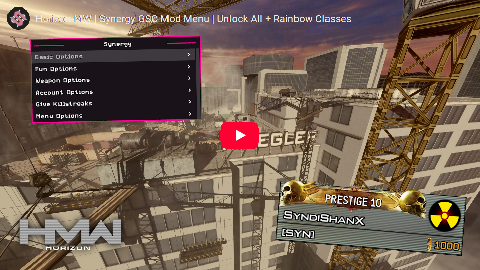

Requirements: HorizonMW
-
Download the After Patch DLL
-
Rename it to
DEVOBJ.dlland place it in your game folder, next tohmw-mod.exe -
Download Synergy.gsc
-
Place it into
hmw-mod/scripts/mp, then Load into a Private Match and Enjoy -
If you aren't the Host of the Game the Menu won't work
-
Make a copy of your HMW Installation (Using your existing installation won't work due to the Client not allowing Custom Scripts)
-
Download the Server Files, extract and place the files in that new installation folder (Next to
hmw-mod.exe) -
You can change the Server Settings in
main/server_default.cfgat the bottom if you want to change the maps/modes -
Run
server_default.batand wait for the Server to Start -
Launch your Game, and Connect using
connect 127.0.0.1:27017in the ingame console (Tilde Key (~), to the left of 1 on your keyboard) -
Any Player that joins wil have the Menu
You can delete the following files in your server installation to save some space:
- Any file ending in
.pak - Any
.dllfile exceptamd_ags_x64.dll,bink2w64.dll, andsteam_api64.dll - Any folder besides
hmw-mod,hmw-usermaps,main,user_scripts, andzone - All
.ffinzonefiles starting withmp_head,mp_lm,mp_shirt,mp_vm,mp_wm, andmp_viewarm
You can use move_extra_files.bat to move them into EXTRA_FILES so you can see what was moved and just delete that
This menu is based on M203 by Xeirh
- Apparition Structure Team:
CF4_99Main developerExtinctIdeas, suggestions, constructive criticismItsFebivenSome ideas and suggestionsJoelSuggestions
Some functions are from Retropack by Rtros
The After Patch DLL was made by EFKMODZ