Homepage | CLI-Anything | Quick Start | Download | Build Guide | Gallery | CloudViewer-ML | Releases |




ACloudViewer is an open-source library that supports rapid development of software that deals with 3D data which is highly based on CloudCompare, Open3D, Paraview and colmap with PCL. The ACloudViewer frontend exposes a set of carefully selected data structures and algorithms in both C++ and Python. The backend is highly optimized and is set up for parallelization. We welcome contributions from the open-source community.
ACloudViewer is a 3D point cloud (and triangular mesh) processing software. It was originally designed to perform comparison between two 3D points clouds (such as the ones obtained with a laser scanner) or between a point cloud and a triangular mesh. It relies on an octree structure that is highly optimized for this particular use-case. It was also meant to deal with huge point clouds ( typically more than 10 millions points, and up to 120 millions with 2 Gb of memory).
More on ACloudViewer here
Core features of ACloudViewer include:
- 3D data structures
- 3D data processing algorithms
- Scene reconstruction (based on colmap)
- 3D Gaussian Splatting real-time rendering and novel view synthesis (SIBR plugin)
- Surface alignment
- 3D visualization
- Physically based rendering (PBR)
- 3D machine learning support with PyTorch and TensorFlow
- GPU acceleration for core 3D operations
- Available in C++ and Python
Here's a brief overview of the different components of ACloudViewer and how they fit together to enable full end to end pipelines:
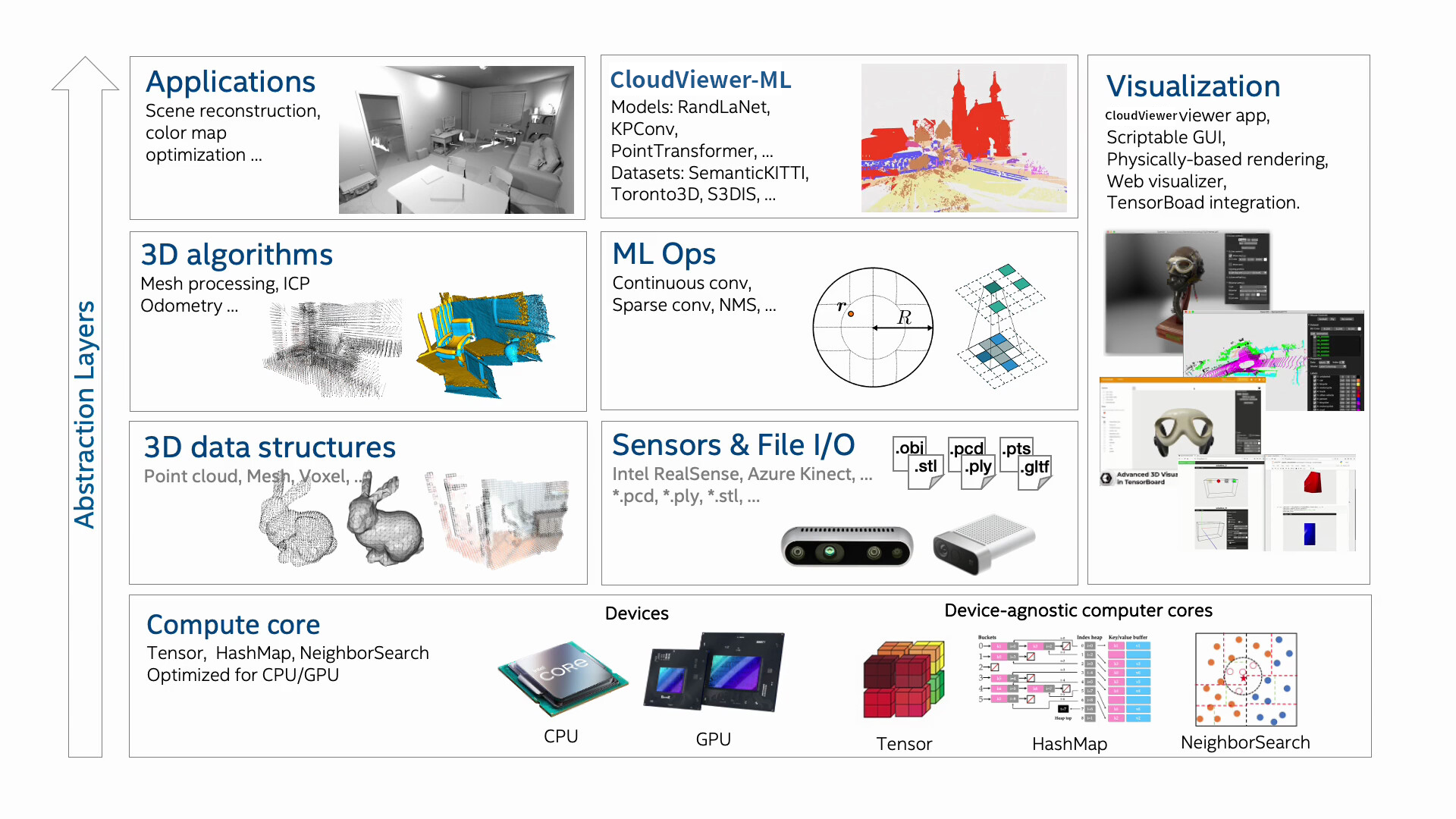
For more, please visit the ACloudViewer documentation.
ACloudViewer can be controlled by AI agents — OpenClaw, Cursor, Claude Code, or any MCP-compatible tool — through a unified integration layer with three interfaces:
| Interface | Protocol | Typical Use |
|---|---|---|
| JSON-RPC Plugin | WebSocket ws://localhost:6001 |
Real-time GUI control — load files, run algorithms, capture screenshots from agent code |
| MCP Server | Model Context Protocol (stdio) | Native integration with Cursor IDE, Claude Code, OpenClaw |
| CLI Harness | Click CLI + REPL | Shell scripts, headless batch processing, CI pipelines |
Browse all available tools on the CLI-Anything Hub.
# 1. Install the CLI harness (headless or GUI control)
pip install git+https://github.com/Asher-1/CLI-Anything.git#subdirectory=acloudviewer/agent-harness

# 2. Convert point cloud formats (headless — no GUI needed)
cli-anything-acloudviewer --mode headless convert input.ply output.pcd

# 3. Subsample with spatial voxel grid
cli-anything-acloudviewer --mode headless process subsample input.ply -o sub.ply --voxel-size 0.05

# 4. Compute normals
cli-anything-acloudviewer --mode headless process normals input.ply -o normals.ply

# 5. Start MCP server (auto-detects running GUI or falls back to headless)
cli-anything-acloudviewer-mcp --mode auto| Component | Scope |
|---|---|
| 178 MCP tools | File I/O, cloud/mesh processing, scalar fields, normals, PCV, Compass, SRA, Colmap reconstruction, view control, scene management |
| 72 JSON-RPC methods | Full GUI automation — load, transform, filter, PCV ambient occlusion, screenshot, export |
| 40+ CLI commands | convert, process (subsample, normals, PCV, Compass export/refit/P21, SRA, density, curvature, SOR, ICP, …), view, scene, colmap |
| 40+ file formats | PLY, PCD, LAS/LAZ, E57, FBX, OBJ, STL, DRC, SBF, VTK, ASC, XYZ, CSV, PTS, … |
Headless mode invokes the ACloudViewer binary directly (no Python bindings needed), supporting all plugin-provided formats (LAS/LAZ, E57, FBX, PCD, Draco).
Enable the JSON-RPC plugin at build time: -DPLUGIN_STANDARD_QJSONRPC=ON
Browse all available tools on the CLI-Anything Hub.
See agent-integration/ for full documentation, MCP tool reference,
and the unified test suite (267 tests across 5 levels).
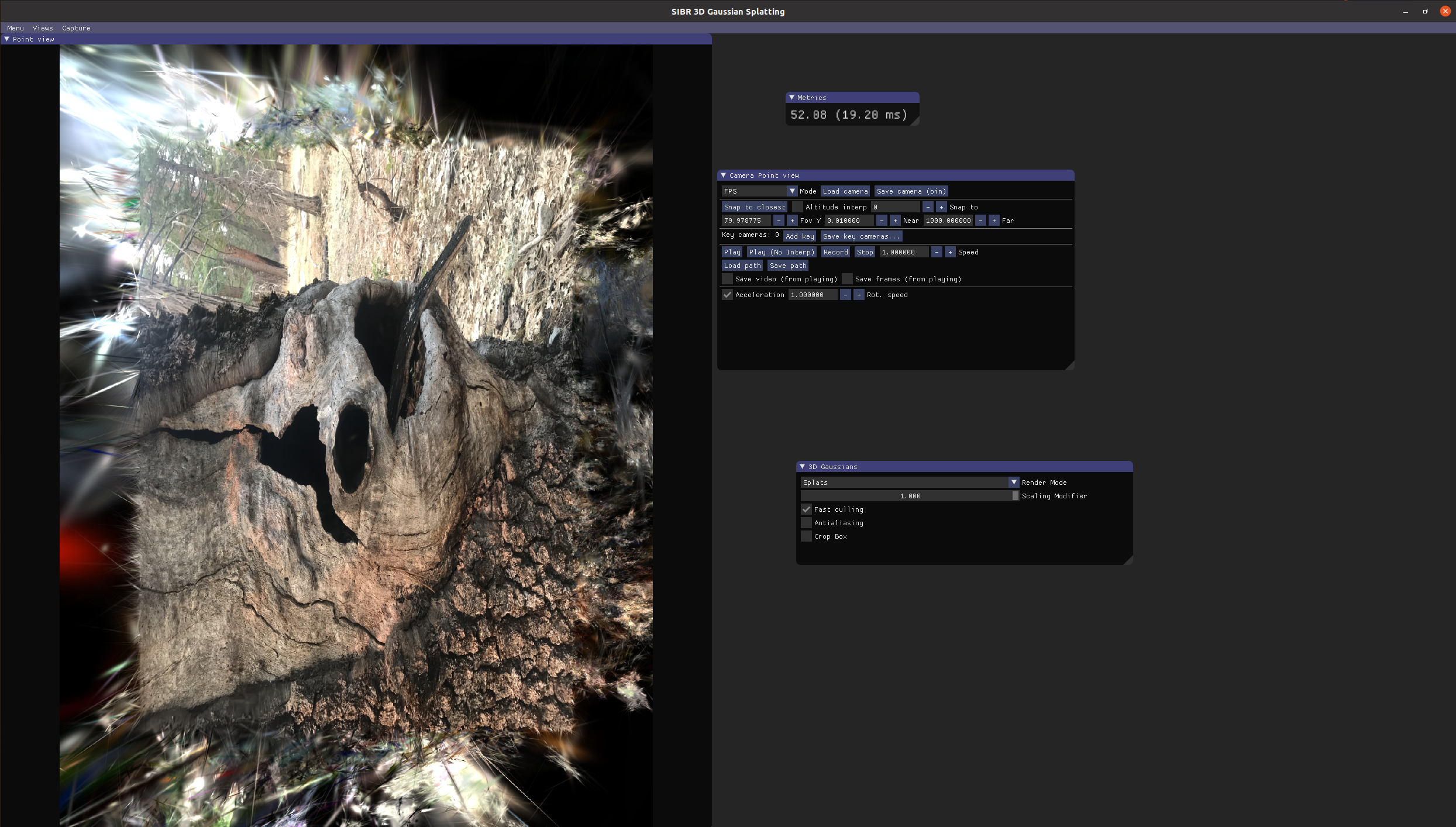
ACloudViewer integrates the SIBR framework (System for Image-Based Rendering) as a built-in plugin, enabling real-time 3D Gaussian Splatting rendering and novel view synthesis directly within the application.
| Viewer | Description |
|---|---|
| 3D Gaussian Splatting | Real-time CUDA-accelerated rendering of trained 3DGS models (.ply splat files) |
| Remote Gaussian | Live connection to a running 3DGS training process for real-time monitoring |
| ULR / ULR v2 | Unstructured Lumigraph Rendering for novel view synthesis |
| Textured Mesh & Point-Based | IBR dataset visualization with scene debug overlays |
Key features:
- Bidirectional interaction — Select entities in ACloudViewer, auto-detect best viewer, import results back with auto-zoom
- No separate install — The SIBR viewers are built as an ACloudViewer plugin, launchable from the GUI toolbar
- Multi-format ingest — Load Colmap reconstructions, SIBR datasets, or raw 3DGS
.plyfiles
Enable with -DPLUGIN_STANDARD_QSIBR=ON -DBUILD_CUDA_MODULE=ON (CUDA optional for non-3DGS viewers).
See qSIBR plugin documentation for details.
Pre-built pip packages support Ubuntu 20.04+, macOS 10.15+ and Windows 10+ (64-bit) with Python 3.10-3.12 and cuda12.x.
# Install
pip install cloudViewer       # or
pip install cloudViewer-cpu   # Smaller CPU only wheel on x86_64 Linux (v3.9.1+)

# Verify installation
python -c "import cloudViewer as cv3d; print(cv3d.__version__)"

# Python API
python -c "import cloudViewer as cv3d; \
           mesh = cv3d.geometry.ccMesh.create_sphere(); \
           mesh.compute_vertex_normals(); \
           cv3d.visualization.draw(mesh, raw_mode=True)"

# CloudViewer CLI
cloudViewer example visualization/draw

# CloudViewer Reconstruction
cloudViewer example reconstruction/gui
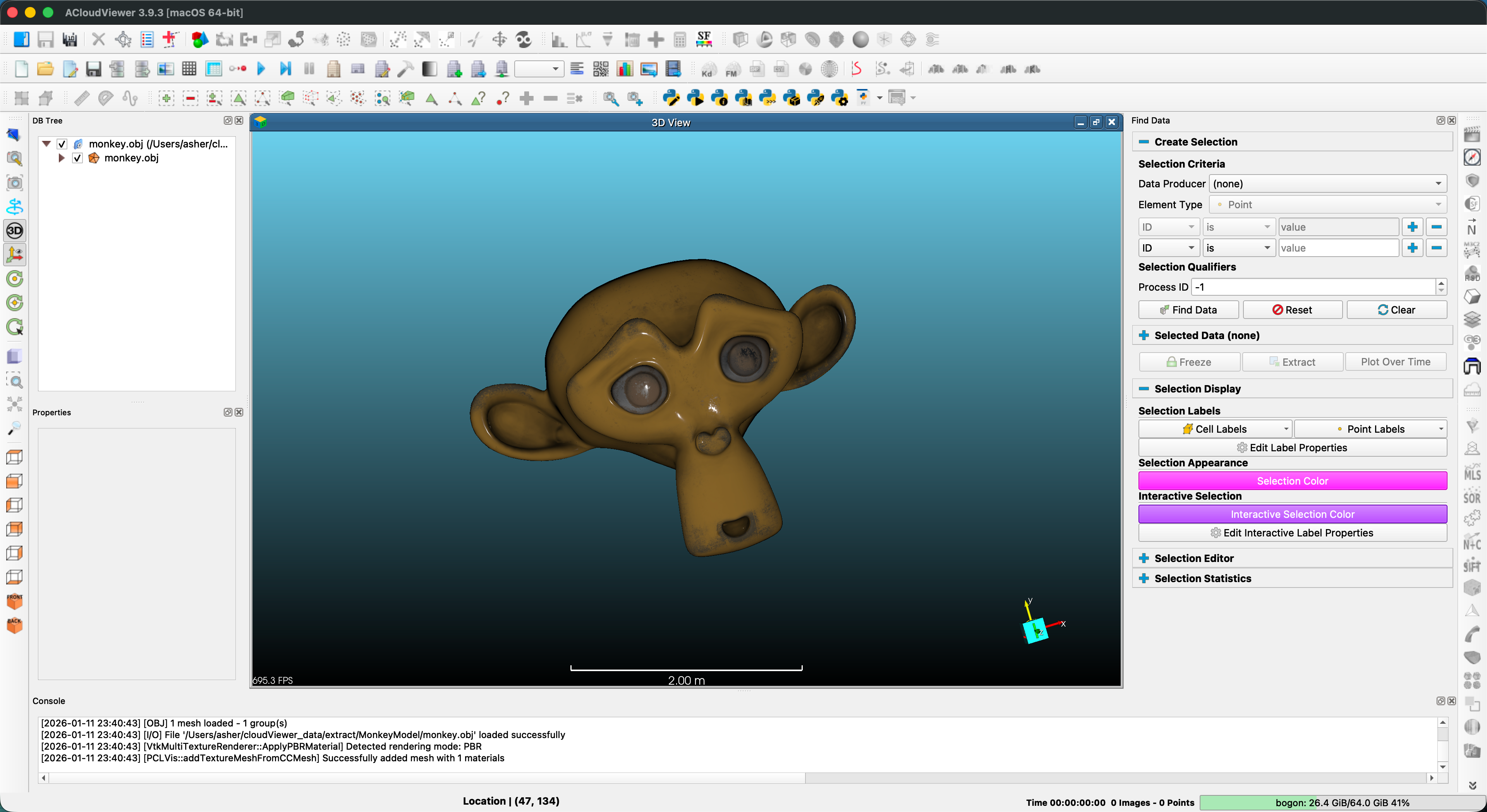
ACloudViewer is a standalone 3D viewer app based on QT5 available on Ubuntu and Windows. Please stay tuned for MacOS. Download ACloudViewer from the release page.
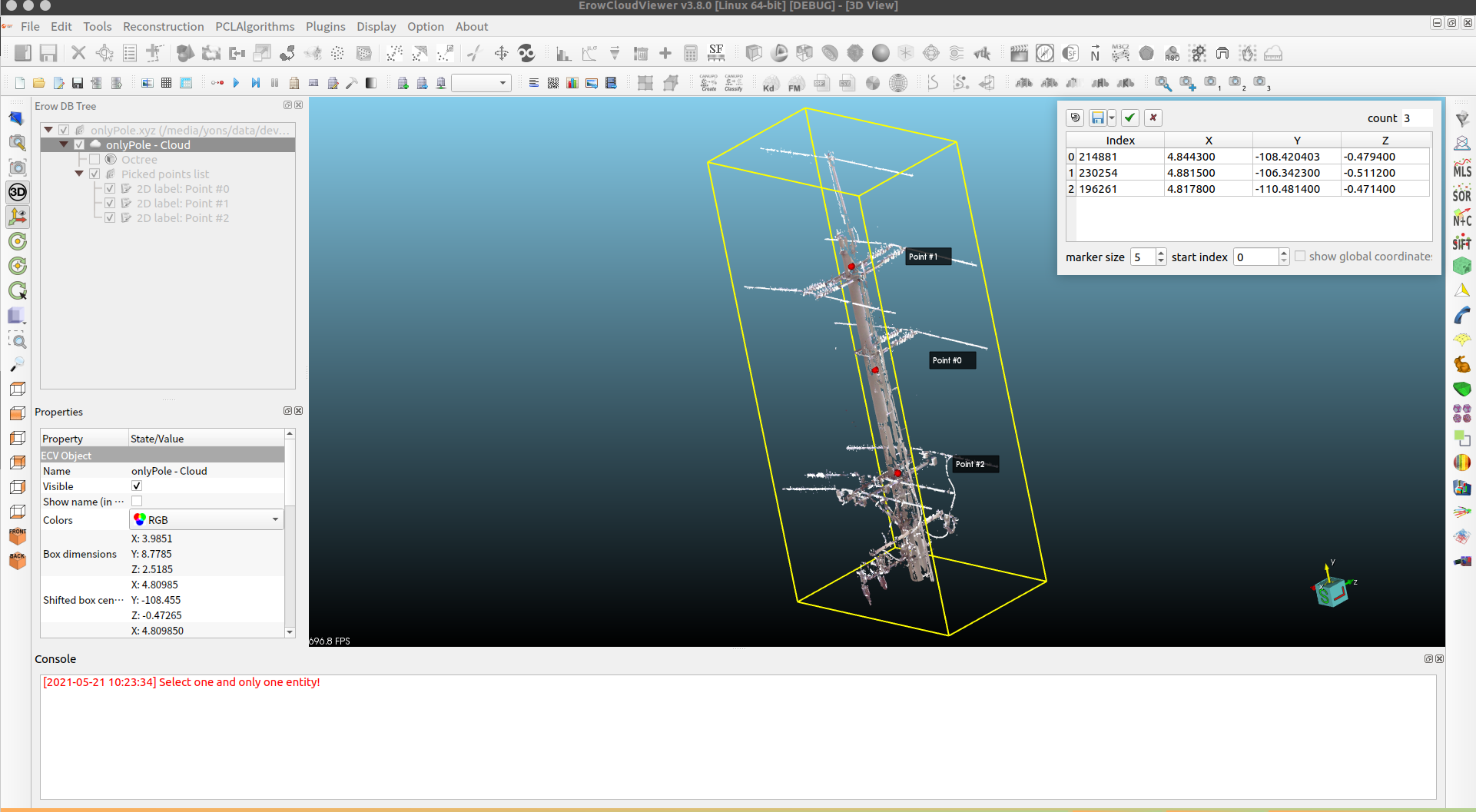
Annotation Interface |
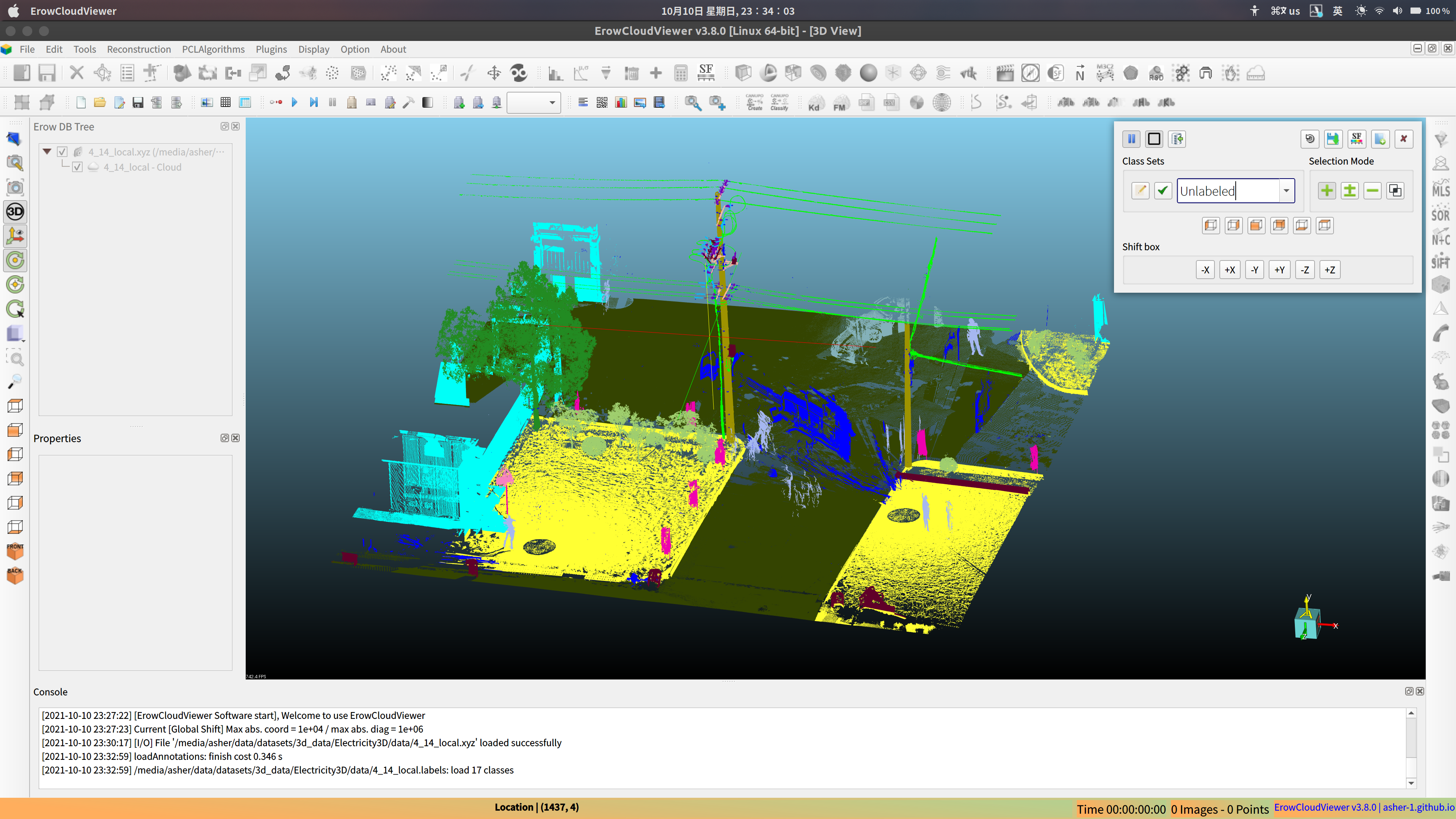
Semantic Labeling |
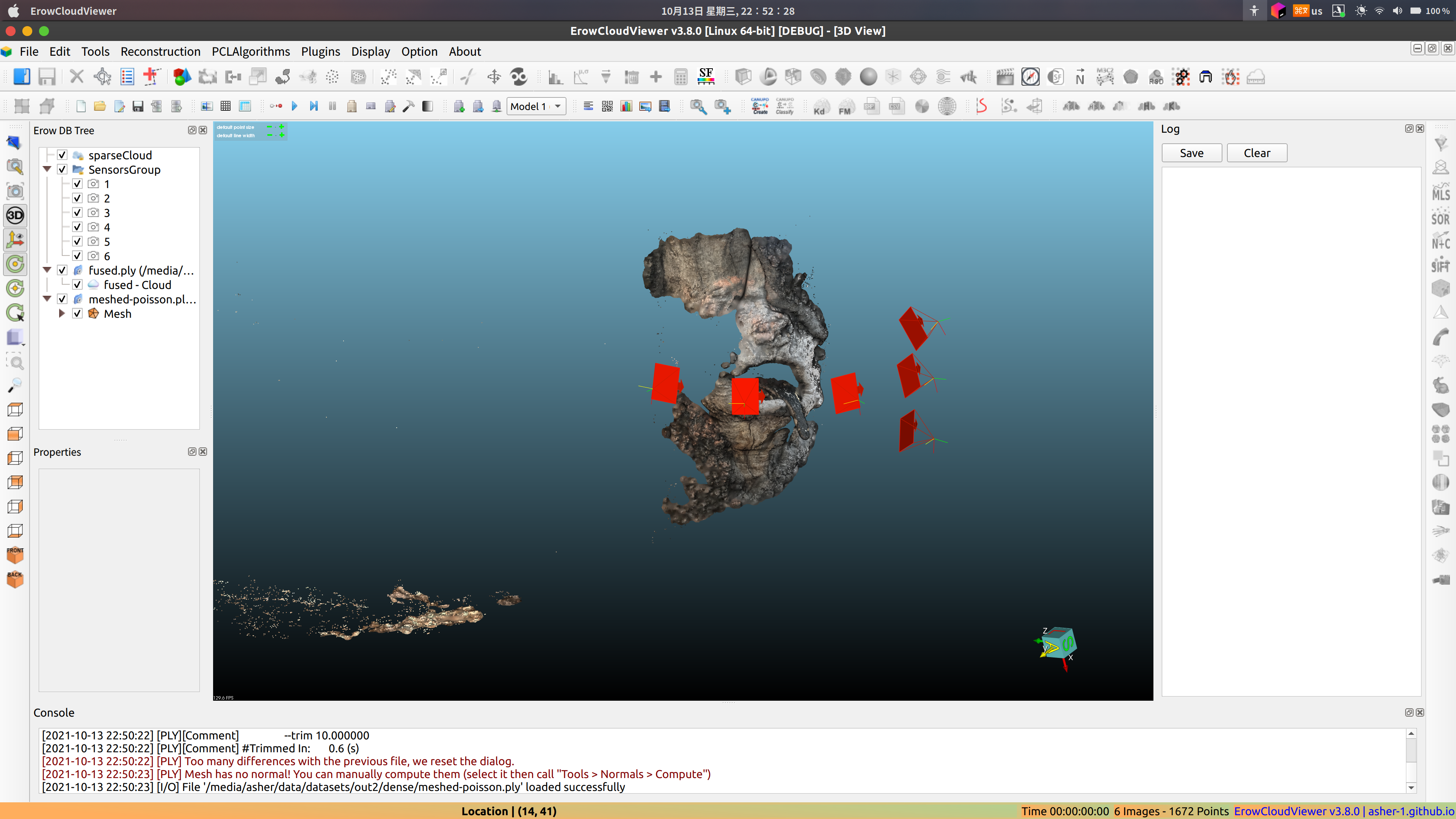
Reconstruction Tool |
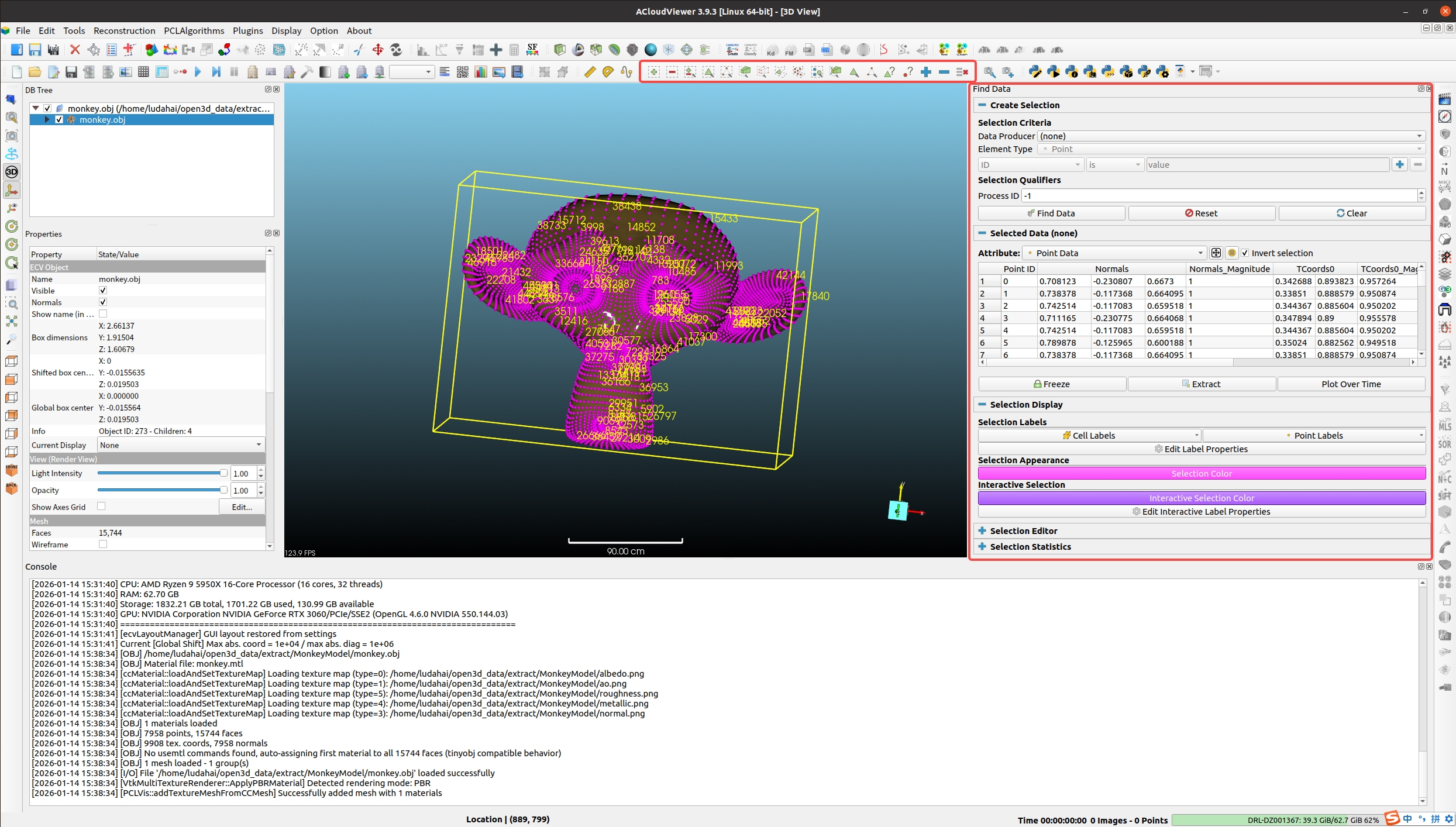
Selection Tools |
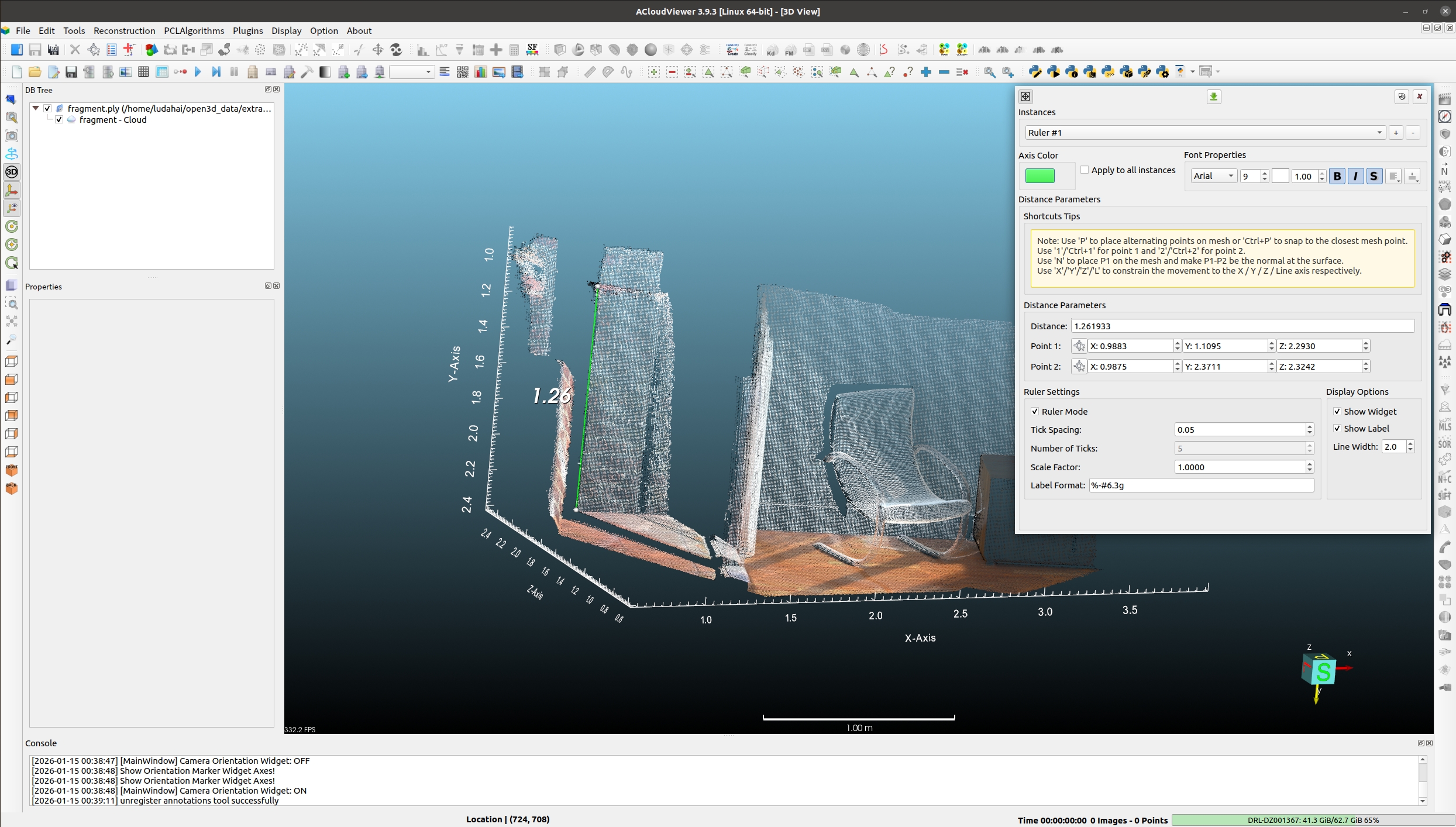
Ruler Measurement |
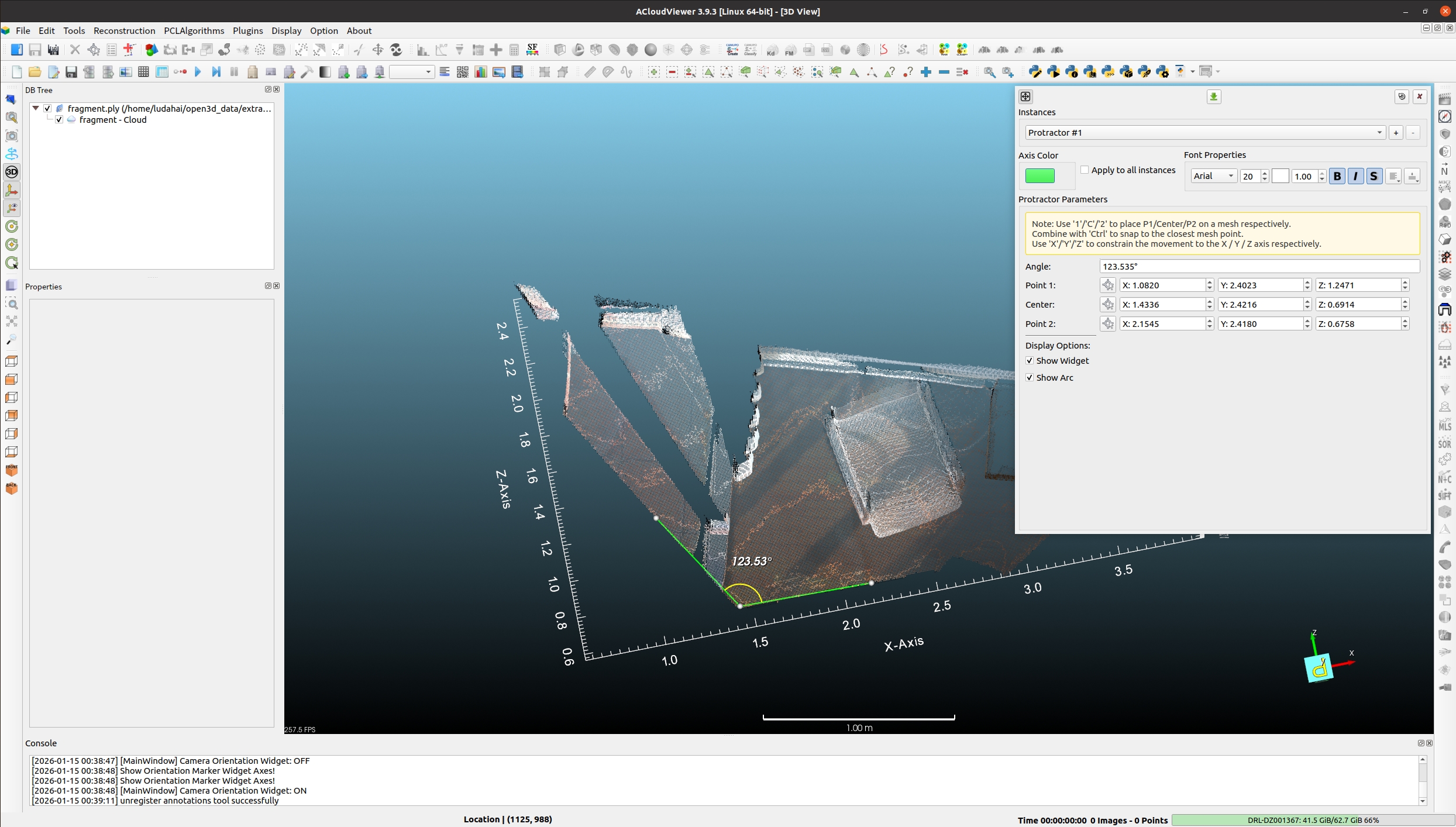
Protractor Measurement |
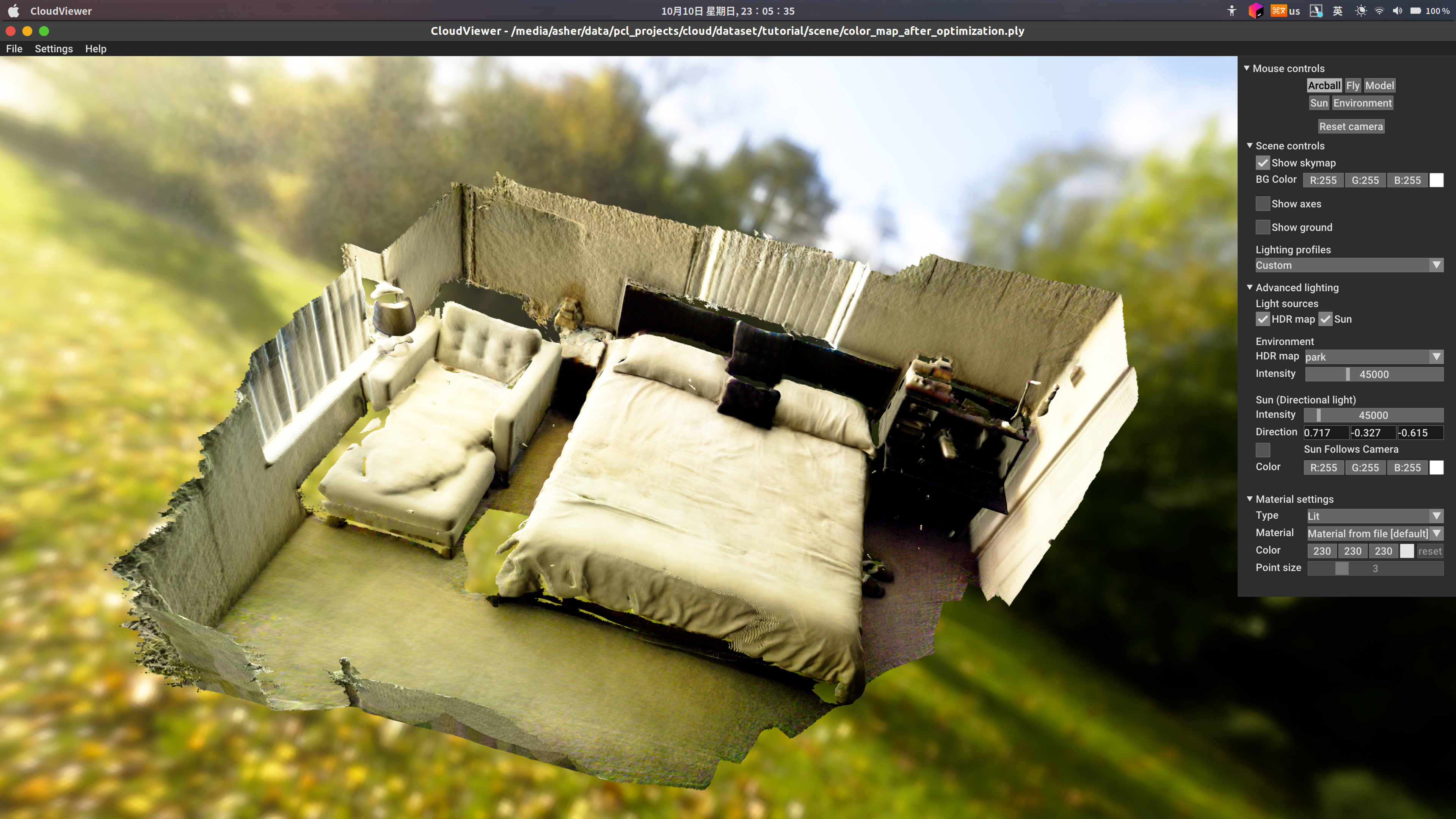
CloudViewer App |
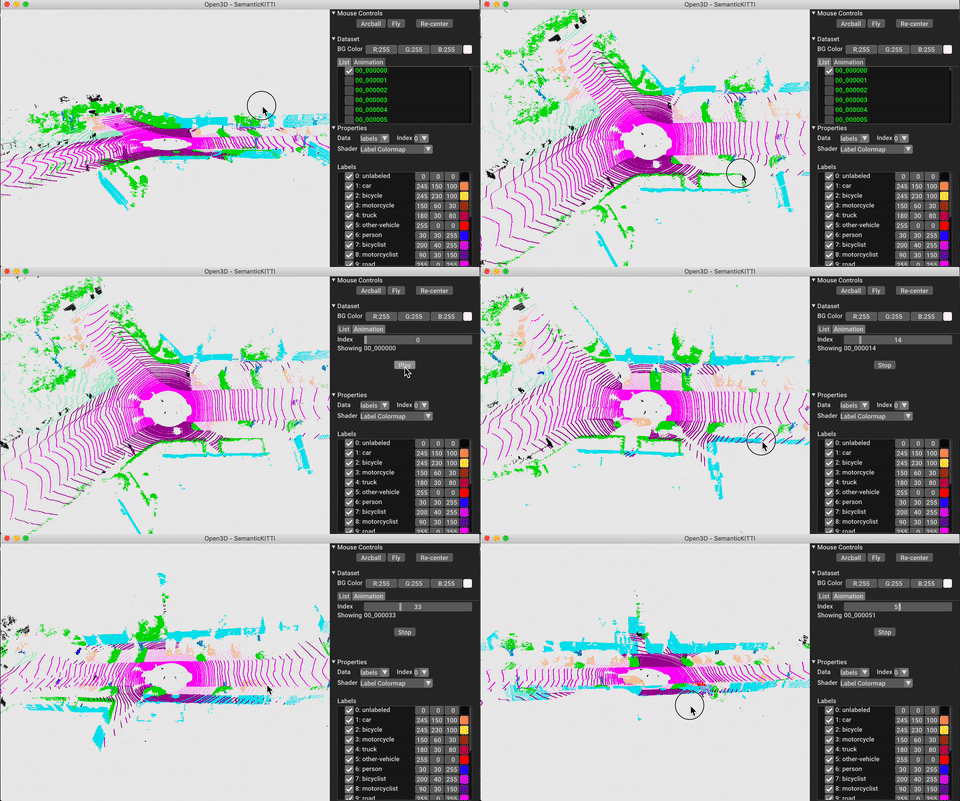
CloudViewer-ML |
CloudViewer App — A standalone 3D viewer app available on Ubuntu and Windows. Please stay tuned for MacOS. Download from the release page.
CloudViewer-ML — An extension of CloudViewer for 3D machine learning tasks. It builds on top of the CloudViewer core library and extends it with machine learning tools for 3D data processing. To try it out, install CloudViewer with PyTorch or TensorFlow and check out CloudViewer-ML.
Supported OS: Windows, Linux, and Mac OS X
Refer to the BUILD.md file for detailed build instructions.
Online compilation guides:
Basically, you have to:
- clone this repository
- install mandatory dependencies (OpenGL, etc.) and optional ones if you really need them (mainly to support particular file formats, or for some plugins)
- launch CMake (from the trunk root)
- enjoy!
If you want to help us improve ACloudViewer or create a new plugin you can start by reading this guide
If you find ACloudViewer useful, please consider supporting its development:
💰 Financial Support:

Click to view donation options - Thank you for your support! 🙏
🌟 Other Ways to Support:
- ⭐ Star the project on GitHub
- 🐛 Report bugs and suggest features
- 📝 Contribute code or documentation
- 📢 Share ACloudViewer with others
For more information, see our Support page.
Thanks for your support!